AI is no longer limited to chatbots that answer questions. In 2026, AI agents can perform tasks, use tools, connect different applications, and automate repetitive work with much less human involvement.
The good news is that you don’t always need an expensive subscription to start using AI automation. Several open-source and self-hosted platforms allow users to build AI-powered workflows at little or no software cost.
In this guide, we’ll look at 5 free AI agent and automation tools in 2026, how they work, how to set them up, their benefits, limitations, common problems, and what each tool is best suited for.
Quick answer: The five tools covered in this guide are n8n, Activepieces, Flowise, Dify, and Suna.
Quick Comparison: Free AI Agent Tools
| Tool | Best For | Free Option | Self-Hosted |
|---|---|---|---|
| n8n | Business automation | Yes | Yes |
| Activepieces | No-code automation | Yes | Yes |
| Flowise | AI agents and RAG | Yes | Yes |
| Dify | AI applications and workflows | Yes | Yes |
| Suna | Autonomous AI tasks | Yes | Yes |
Important: “Free” does not always mean that every part of an AI workflow costs nothing. You may still have costs for cloud hosting, premium AI models, API usage, or server infrastructure. Self-hosting with a local AI model can reduce or eliminate many recurring software costs.
1. n8n
What is n8n?
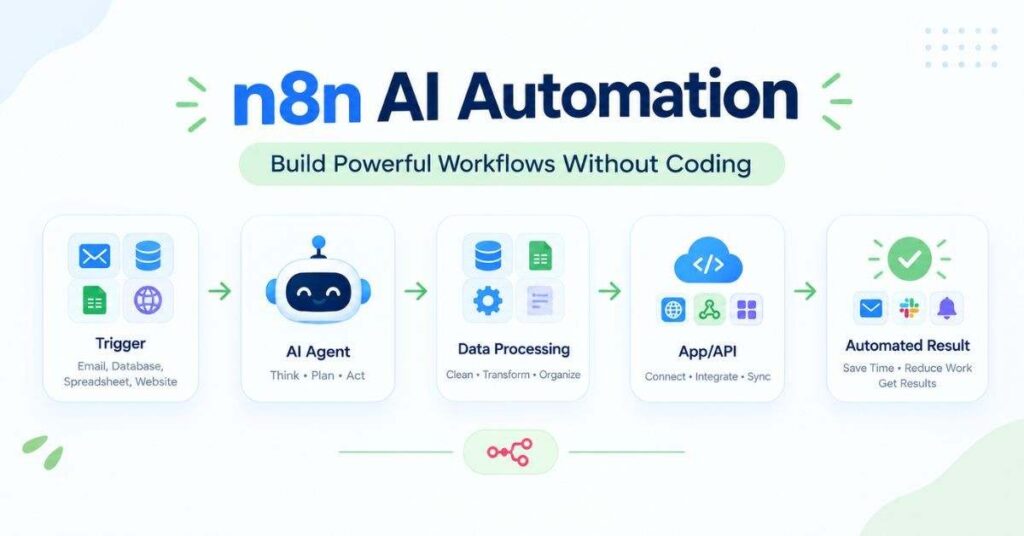
n8n is a workflow automation platform that lets you connect applications, APIs, databases, and AI models in a visual workflow.
You can create an automation such as:
New email → AI analyzes it → extracts information → updates Google Sheets → sends a notification
n8n is especially useful for businesses, developers, marketers, and users who want to automate repetitive online tasks.
Is n8n free?
Yes. n8n provides a self-hosted Community Edition that can be used without paying a monthly n8n subscription.
However, you may still need to pay for server hosting or an external AI API if you don’t run your AI model locally.
How do you set up n8n?
A basic setup looks like this:
- Install n8n on your computer or server.
- Open the n8n interface.
- Create a new workflow.
- Add a trigger.
- Add the required application or AI node.
- Connect the steps together.
- Test the workflow.
- Activate it.
For users who prefer local AI, n8n can also be connected with locally running AI models.
What can you automate with n8n?
You can automate:
- Email processing
- Google Sheets
- WordPress
- Telegram
- CRM tasks
- Webhooks
- API requests
- Lead collection
- Content workflows
- Reports
- AI-powered business processes
Benefits of n8n
- Visual workflow builder
- Large integration ecosystem
- Self-hosting option
- Supports AI workflows
- Good for complex automation
- Useful for business processes
Limitations of n8n
The biggest challenge is that advanced workflows can become complicated. Self-hosting also requires some technical knowledge.
Who should use n8n?
n8n is a good fit for users who want powerful business automation and flexible AI workflows.
2. Activepieces
What is Activepieces?
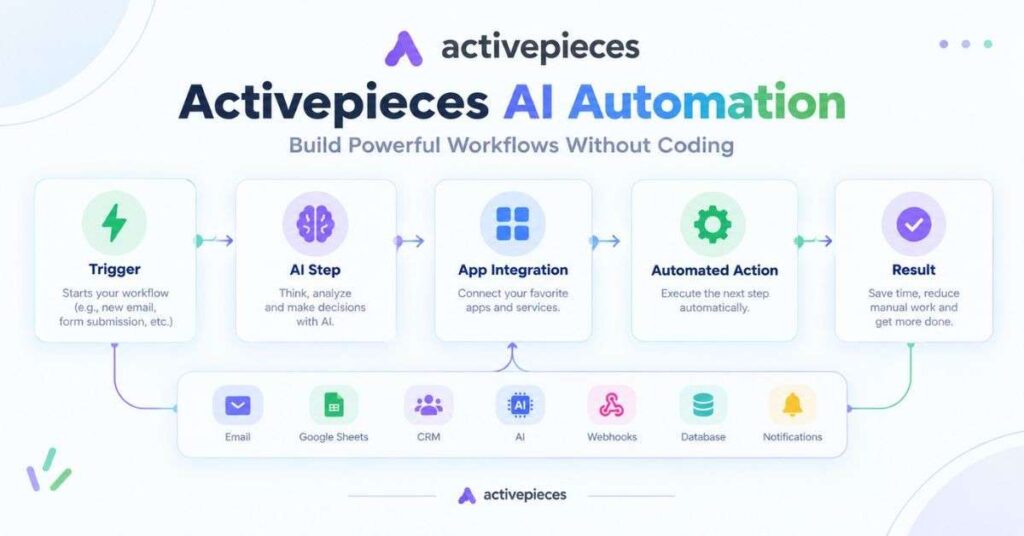
Activepieces is an open-source automation platform designed to make workflow automation easier, especially for users who prefer a visual and no-code approach.
You can connect applications and create workflows without building everything from scratch.
Is Activepieces free?
Yes. Activepieces offers an open-source self-hosted option. As with other self-hosted platforms, infrastructure and external AI services may have separate costs.
How do you set up Activepieces?
A simple setup involves:
- Install or deploy Activepieces.
- Open the dashboard.
- Create a flow.
- Select a trigger.
- Add an action.
- Connect your applications.
- Test the flow.
- Turn on the automation.
What can Activepieces automate?
Examples include:
- Emails
- Forms
- Google Sheets
- CRM workflows
- Notifications
- AI tasks
- Data processing
- Business workflows
Benefits
- Beginner-friendly interface
- Visual workflow creation
- Open-source
- Self-hosting
- Useful integrations
- Good for no-code automation
Limitations
Users building very complex workflows may need more technical knowledge and troubleshooting.
Who should use Activepieces?
It is suitable for beginners, small businesses, and teams looking for visual automation without heavy coding.
3. Flowise
What is Flowise?
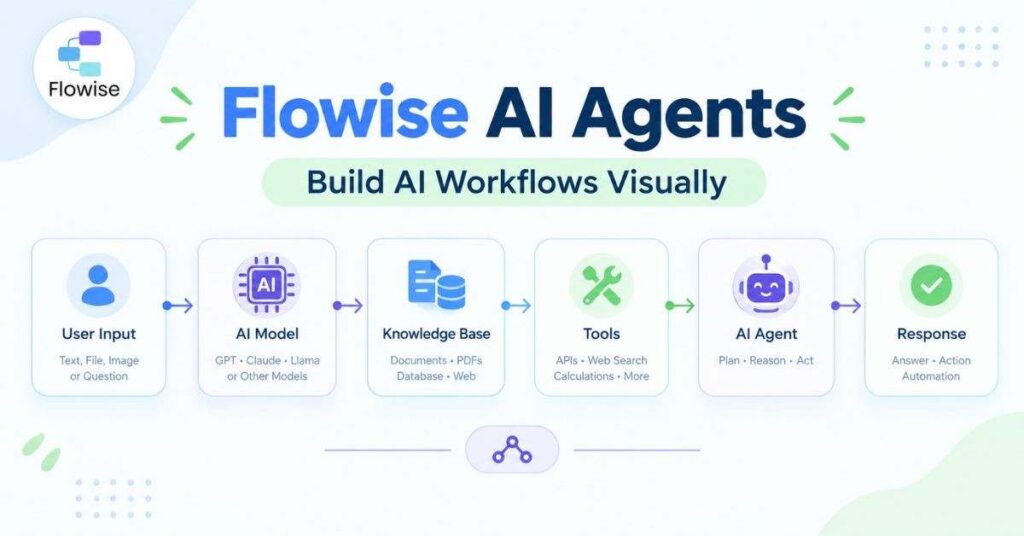
Flowise is an open-source platform designed mainly for building AI agents, AI workflows, chatbots, and RAG applications using a visual interface.
RAG, or Retrieval-Augmented Generation, allows an AI system to retrieve information from your own documents or knowledge sources before generating an answer.
Is Flowise free?
Yes. Flowise can be self-hosted and used without a mandatory monthly software subscription.
However, the AI model you connect to may have its own pricing.
How do you set up Flowise?
A basic AI-agent setup looks like this:
AI Model → Knowledge Base → Tools → Agent → User
You can:
- Install Flowise.
- Open the visual builder.
- Select an AI model.
- Add your data or knowledge source.
- Add tools if required.
- Configure the agent.
- Test it.
- Deploy the application.
What can Flowise do?
Flowise can be used for:
- AI chatbots
- Document Q&A
- Knowledge bases
- RAG applications
- AI agents
- Customer support
- Internal business assistants
Benefits
- Visual AI workflow builder
- Open-source
- Self-hosting
- Good for RAG
- Useful for AI-agent development
Limitations
Flowise is more focused on AI applications than general business automation, so it may not be the first choice for users who mainly want traditional workflow automation.
Who should use Flowise?
Flowise is a good choice for developers and businesses that want to build custom AI agents, chatbots, or knowledge-based AI applications.
4. Dify
What is Dify?
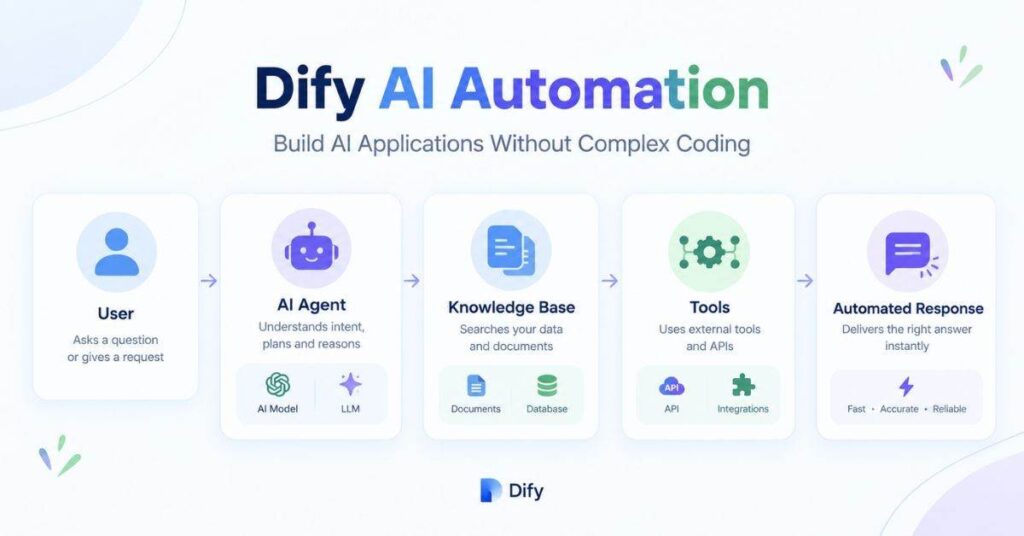
Dify is an open-source platform for building AI applications, AI agents, workflows, and knowledge-based applications.
Instead of developing an AI application completely from scratch, Dify provides a visual environment where you can connect models, knowledge, tools, and workflows.
Is Dify free?
Dify can be self-hosted, which means you can run the software on your own infrastructure.
The important point is that the platform and the AI model are separate. A self-hosted Dify installation can still use a paid external AI API.
How do you set up Dify?
A basic workflow is:
- Deploy Dify.
- Open the dashboard.
- Select an application type.
- Connect an AI model.
- Add instructions.
- Add a knowledge base if required.
- Add tools.
- Test the application.
- Publish it.
What can Dify do?
You can use Dify to create:
- AI assistants
- Customer-support bots
- Knowledge-base assistants
- AI content tools
- Document Q&A systems
- AI workflows
- Internal business applications
Benefits
- Visual interface
- Self-hosting
- AI workflow support
- Knowledge-base functionality
- Multiple model options
- Useful for building AI applications
Limitations
Dify can feel more complicated when you move beyond simple AI applications and start building advanced workflows.
Who should use Dify?
Dify is suitable for businesses, developers, and teams that want to build AI-powered applications without developing the entire system from zero.
5. Suna
What is Suna?
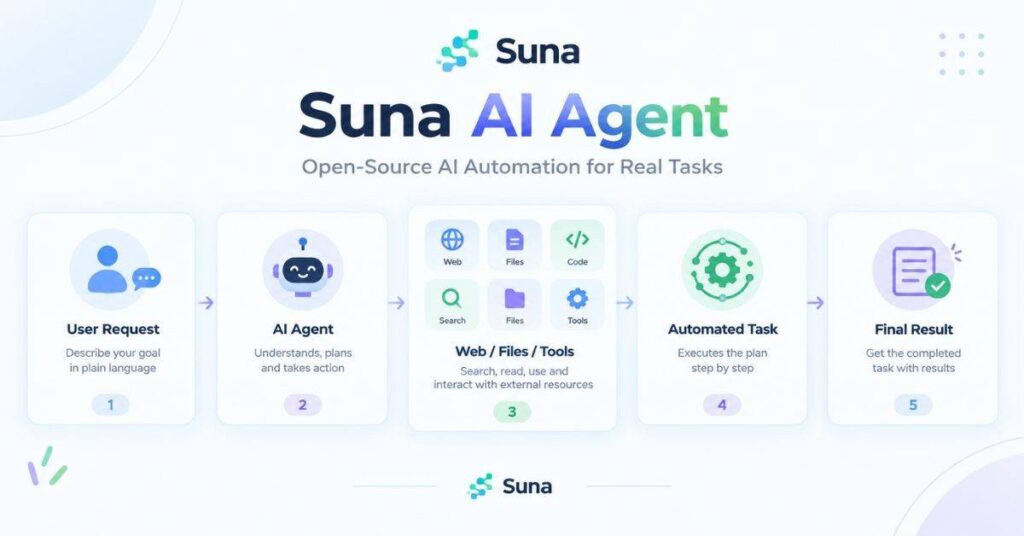
Suna is an open-source AI agent platform focused on allowing AI agents to perform more autonomous, multi-step tasks.
Instead of simply answering a question, an autonomous agent can be designed to break a task into multiple steps and use available tools to complete it.
Is Suna free?
The open-source/self-hosted version can be used without a software subscription, but the infrastructure and AI models you connect to can still create costs.
How does Suna work?
A simplified process looks like this:
User Request → AI Agent → Planning → Tools → Actions → Result
For example, an agent could be given a research task and use multiple steps to gather and organize information.
What can Suna do?
Depending on the configuration, autonomous agents can be used for:
- Research
- Web-based tasks
- Data collection
- Multi-step workflows
- Information processing
- Computer-based tasks
Benefits
- Agent-focused design
- Open-source
- Self-hosting
- Designed for multi-step tasks
- Can reduce repetitive manual work
Limitations
Autonomous AI systems can be more difficult to control and troubleshoot than simple automation. They also need careful permission management.
Who should use Suna?
Suna is more suitable for technical users and people who want to experiment with autonomous AI agents and multi-step tasks.
Free AI Agent Tools: Which One Should You Use?
There isn’t one tool that is perfect for every user.
If your main goal is business workflow automation, look at n8n or Activepieces.
If you want to build AI agents, RAG systems, or custom AI assistants, Flowise and Dify are worth exploring.
If your main interest is autonomous, multi-step AI tasks, Suna is a more relevant option.
Your choice should depend on the type of workflow you want to build, your technical experience, whether you want to self-host, and which AI models and integrations you need.
What Can You Automate With Free AI Agents?
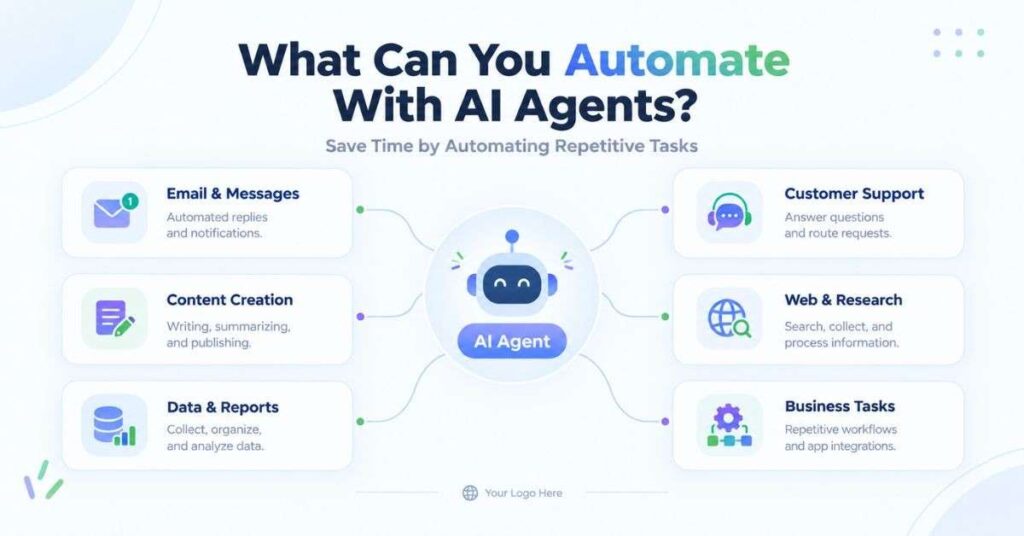
AI agents and automation platforms can help with many repetitive tasks.
Some practical examples include:
- Email classification
- Lead collection
- SEO research
- Content briefs
- Customer support
- Google Sheets updates
- WordPress workflows
- Data extraction
- Reporting
- Notifications
- Document analysis
For example, a content workflow could look like:
Keyword → AI research → Content brief → Article draft → SEO data → WordPress draft → Notification
This type of workflow can save considerable manual work when it is properly configured and reviewed.
Benefits of Free AI Agent Automation
Saves time
Automating repetitive tasks allows people to spend more time on work that requires human judgment.
Reduces repetitive work
Instead of performing the same steps every day, you can create a workflow that handles them automatically.
Connects different tools
AI automation can connect services that normally work separately through APIs, webhooks, and integrations.
Can run continuously
A properly configured workflow can operate without someone manually starting every task.
Self-hosting can improve control
Running an automation platform on your own infrastructure can provide more control over data and configuration.
Problems and Limitations of Free AI Agents
Free AI automation does not mean zero effort.
1. Setup can be technical
Self-hosted platforms may require Docker, Linux, databases, networking, or server management.
2. AI models can cost money
The automation platform may be free while the AI API connected to it is paid.
3. AI can make mistakes
AI agents can misunderstand instructions or produce incorrect information. Important outputs should be reviewed.
4. Workflows can fail
API errors, expired credentials, server problems, rate limits, and application changes can stop an automation.
5. Security matters
An AI agent with access to email, databases, websites, or files should only receive the permissions it actually needs.
Common Questions About Free AI Agents
Are AI agents really free?
Some AI-agent platforms are available as free open-source software, particularly when self-hosted. However, hosting, AI APIs, and other services may still have costs.
Can I run an AI agent on my own computer?
Yes. Many open-source AI platforms can be self-hosted. You can also use compatible local AI models instead of sending every request to a cloud API.
Can I use AI agents without ChatGPT?
Yes. Many platforms support different AI models, including locally hosted models and models from other providers.
Do I need coding knowledge?
Not always. Visual tools such as n8n, Activepieces, Flowise, and Dify can reduce the amount of coding required. Advanced workflows may still require technical knowledge.
Can AI agents automate WordPress?
Yes. AI agents and automation platforms can connect to WordPress through APIs and automation workflows. They can assist with tasks such as creating drafts, processing content, managing data, and sending notifications.
What is an AI agent automation tool?
An AI agent automation tool helps you create workflows where AI can understand tasks, use connected tools, and perform actions automatically.
Can I use AI automation tools for free?
Yes. Some tools offer free plans or open-source versions. However, AI models, hosting, or API usage may still have separate costs.
Which free AI automation tool is easiest for beginners?
Tools with visual workflow builders are generally easier because you can create automations without writing much code.
Can I automate emails with AI agents?
Yes. AI automation can help sort emails, summarize messages, create replies, and send notifications based on your workflow.
Can AI agents connect to other apps?
Yes. Many automation platforms connect with apps, APIs, databases, spreadsheets, email services, and other business tools. Activepieces, for example, supports connected apps and workflows.
Do I need coding knowledge to use AI automation tools?
No. Many basic workflows can be created visually. Coding can be useful when you need advanced customization or special logic.
Can AI automation save time on repetitive tasks?
Yes. It can handle repetitive tasks such as moving data, sending notifications, creating reports, processing forms, and organizing information.
Is Activepieces completely free?
Activepieces currently has a free plan with no credit card requirement, and it also provides an open-source option for self-hosting. The free cloud plan has usage limits.
Are AI automation tools safe to use?
They can be safe when configured properly, but you should carefully manage API keys, permissions, connected apps, and sensitive data.
Can I build my own AI agent with these tools?
Yes. Platforms such as Activepieces, Flowise, and similar tools let you create AI-powered workflows or agents using visual builders and connected tools.
Final Thoughts
Free AI agent and automation tools are becoming much more practical for individuals and businesses. You don’t necessarily need a large software budget to experiment with AI-powered workflows.
n8n, Activepieces, Flowise, Dify, and Suna each serve a different purpose. The best option depends on whether you need business automation, no-code workflows, AI agents, knowledge-based applications, or autonomous tasks.
Before building an important workflow, start with a small test, verify the AI’s output, restrict its permissions, and monitor the automation. Once the workflow is reliable, you can gradually expand it to handle more tasks.
